Connected conversations
Read messages from the channels in your setup without searching separate inboxes for the latest reply.
One Inbox brings customer messages together for local service businesses. We connect texts, emails, website inquiries, and supported social messages so your team can reply.
In short: Keep the contact history beside each conversation and assign someone to respond. Available channels depend on your accounts and the connections agreed during setup.
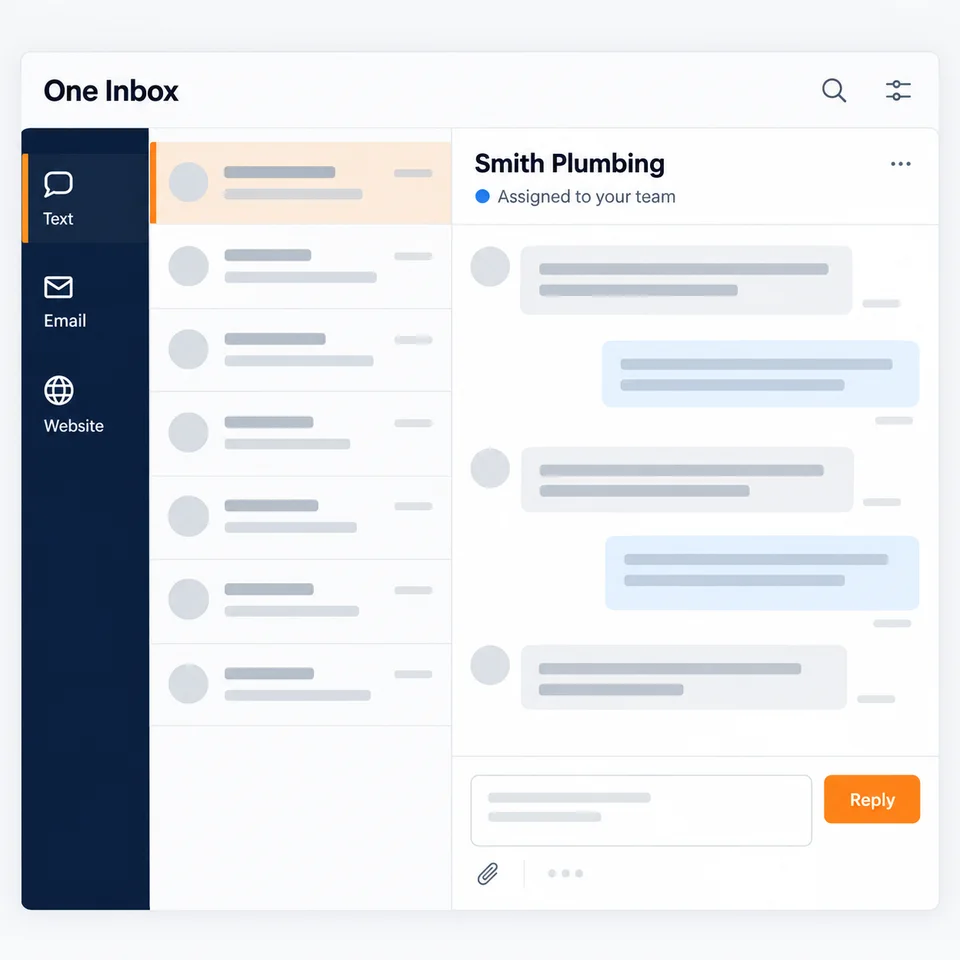
Read messages from the channels in your setup without searching separate inboxes for the latest reply.
Assign a teammate and add an internal note so the next person can see who is helping and what was agreed.
Keep contact details, conversation history, and the next task together so a customer does not have to start over.
A shared view only helps when someone owns the reply. We organize the inbox around your team, with a clear handoff from a new inquiry to the next action.
Keep every conversation in view.
The handoff matters as much as the first message. Here is how this part of your system reaches your team.
An inquiry arrives from a connected message channel.
One Inbox keeps the conversation beside the contact history.
An assigned teammate replies and records the next step.

We review the accounts your business uses, the connections available, and who needs access.
We set up team access, conversation ownership, notifications, and the information to keep beside each contact.
We test each agreed channel and walk your team through replying, assigning, and recording the next step.
We review text, email, website inquiries, and supported social account messaging with you. Available connections depend on your accounts and permissions. We confirm the channels in scope before setup.
Your Google Business Profile can direct people to a connected business number or website. Those inquiries can reach the inbox. We do not present a profile listing itself as a live chat channel.
Multiple teammates can use One Inbox. We agree on team access and conversation ownership, then show people how to leave notes and hand a request to the next teammate.
We review your existing scheduling tools before connecting One Inbox. The inbox manages conversations and handoffs; we confirm any connection needed to your scheduling process separately.
Tell us about your business. We will map out what to connect.
Book a call