Start with the right list
Review previous work, contact permissions, and exclusions so the message reaches people it can reasonably help.
Customer reactivation helps local service businesses reconnect with eligible past customers. We prepare reminders tied to earlier work and route replies to your team.
In short: Use your service records to give customers a useful reason to return. Contact permissions, exclusions, and stop requests shape who receives each reminder.
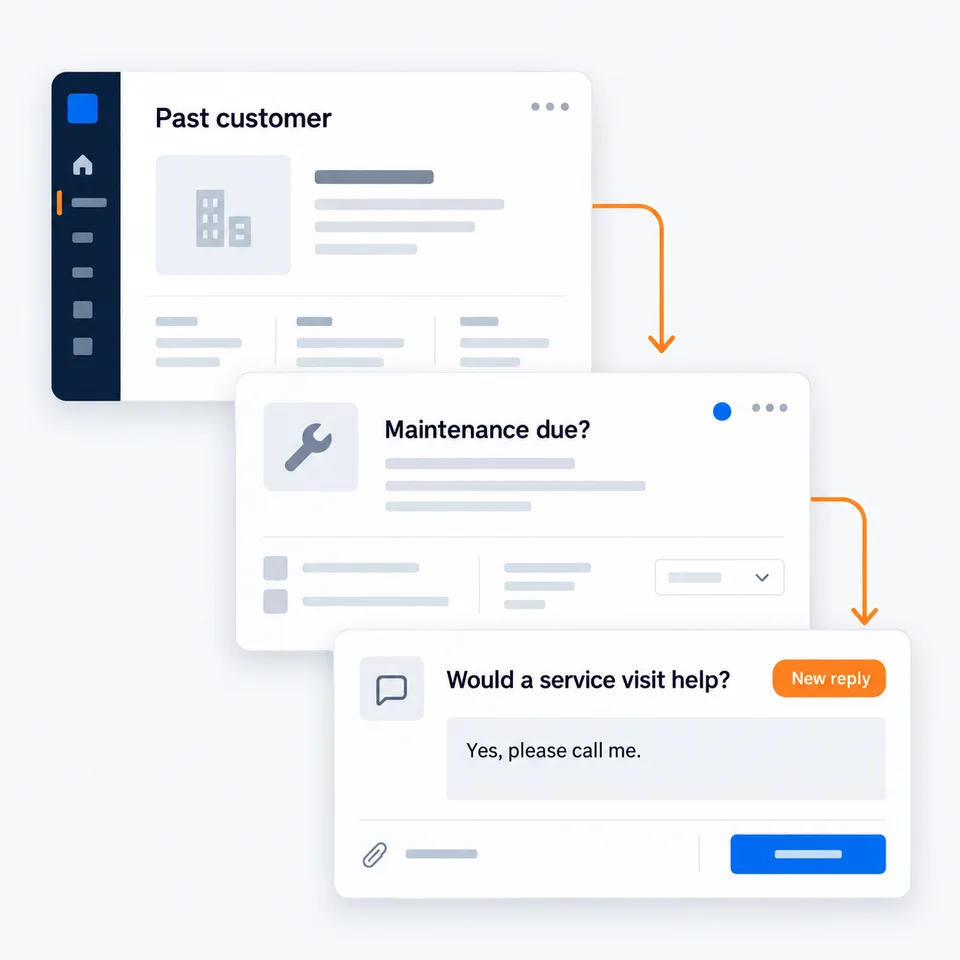
Review previous work, contact permissions, and exclusions so the message reaches people it can reasonably help.
Use a service interval or seasonal need to explain why you are reaching out. Keep the message short and easy to answer.
Route interested replies to your team and stop reminders when someone responds or asks not to hear from you.
A previous job can give a reminder useful context. We help choose the right group and reason to reach out, then keep the replies in view for your team.
Give past customers a reason to return.
The handoff matters as much as the first message. Here is how this part of your system reaches your team.
You choose eligible past customers and a useful reason to reconnect.
An agreed service reminder goes out to that group.
Interested replies reach One Inbox for your team to follow up.

We look at your customer records, the services completed, and which contacts are eligible for a reminder.
We prepare a relevant message, agree on the audience and timing, and check who will handle replies.
After approval, the reminder goes out. We check replies and stop requests, and help your team keep the next steps organized.
Before using an old customer list for reactivation, we review its source, contact permissions, record quality, and previous stop requests. Being a past customer alone does not mean every message is appropriate.
A customer reactivation reminder should give a useful reason to reconnect, such as maintenance related to earlier work. We write it from your business details and review it with you.
Customer reactivation does not guarantee repeat bookings. The service makes relevant outreach and replies easier to manage. Customers decide whether they need more work and when to get in touch.
Customer reactivation excludes contacts under the booking and stop conditions we agree on before sending. When a booking or reply is recorded in the connected process, the reminder can stop.
Tell us about your business. We will map out what to connect.
Book a call